

Turn your client meetings
into structured HubSpot data
Apana automatically captures meeting insights and synchronizes them with HubSpot to keep your CRM always up to date.
HubSpot is one of the most widely used CRM platforms for managing sales pipelines and customer relationships.
By combining HubSpot with Apana, teams can automatically transform meeting conversations into structured CRM data.
Instead of manually updating contact records after each meeting, Apana extracts key insights and synchronizes them directly with HubSpot.
Why integrate Apana with HubSpot
Apana automatically captures and structures the information shared during your meetings.
By connecting Apana to HubSpot, every client interaction becomes structured data in your CRM.
This integration helps teams reduce manual data entry, improve the quality of client information and keep their pipeline always up to date.
Instead of writing notes after each meeting, Apana automatically generates summaries and synchronizes the relevant information directly in HubSpot.
How the HubSpot integration works
The integration between Apana and HubSpot is designed to fit naturally into your existing workflow.
Our team handles the integration setup for you. All you need to do is answer a few questions so we can configure the connection with your HubSpot environment.
1) Integration setup
Our team connects Apana with your HubSpot account and configures the synchronization based on your needs.
2) Record or import meetings into Apana
Apana automatically captures conversations from your meetings and structures the key information.
3) Sync data with your CRM
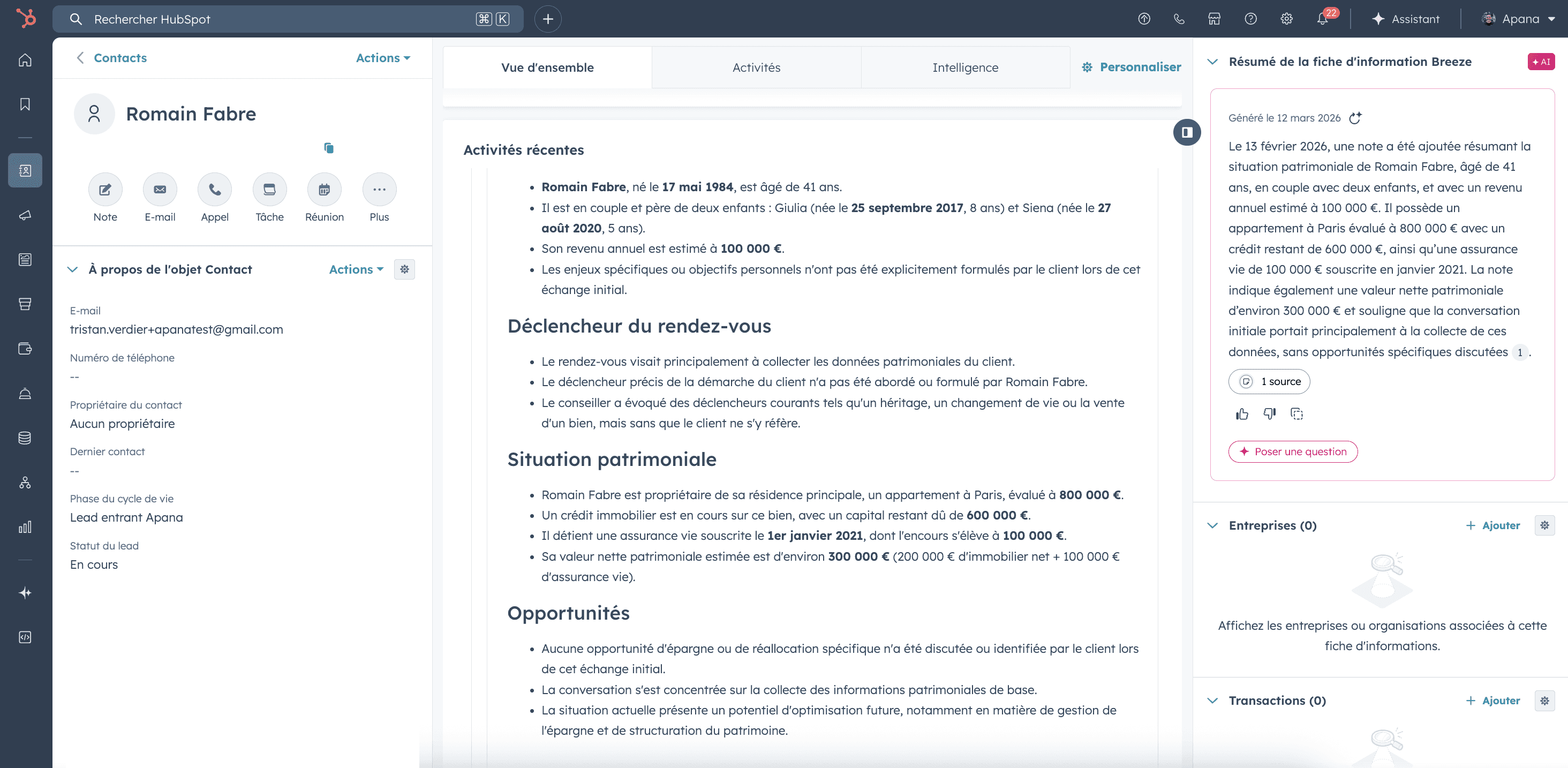
Meeting summaries, key insights and client information are automatically attached to the corresponding contact in HubSpot.
Once the integration is set up, everything runs automatically and your CRM stays up to date without any manual work.
What information Apana can send to HubSpot
Apana automatically captures and structures the information discussed during your meetings. Once the integration is configured, the most relevant insights can be synchronized with HubSpot to enrich your CRM and maintain a complete history of client interactions.
The information that can be synchronized includes:
• Meeting summaries automatically generated after each conversation
• Key discussion points identified during the meeting
• Client context and background information mentioned during the exchange
• Opportunities detected during conversations, such as potential projects or needs
• Structured meeting notes attached directly to the corresponding HubSpot contact
This allows teams to keep their CRM accurate and up to date without having to manually write notes after every meeting.
Frequently asked questions
How does the integration between Apana and HubSpot help automatically capture and structure information from client meetings?
Do we need technical skills or developer resources to connect Apana with our HubSpot CRM?
What type of meeting information can Apana automatically synchronize with HubSpot contacts?
See the integration in action
Interested in connecting Apana with your HubSpot CRM?
Fill out the form below and our team will guide you through the integration and show you how Apana automatically captures and structures your meeting insights.